

On this page
How do you increase the conversion of your streaming video website? Start with two basics: understand who your visitors are and what moves them, and give every page one clear goal. Then remove friction from the path to that goal: let people try your content, keep your pricing simple, make paying easy and follow up with visitors who drop out. Below we explain each step in practical terms.
What conversion means for a video platform
Conversion is the share of visitors who take the step you want them to take. On a streaming video website that is usually one of these:
- Signing up for your newsletter or a free account
- Starting a free trial
- Taking out a subscription
- Buying or renting a single video, series, course or livestream ticket
Decide which of these matters most for your business, because that decision shapes everything below. A visitor who creates a free account today is often the paying subscriber of next month.
Tip 1: Understand who is watching your videos
Before you write a single line of website copy, put yourself in your audience’s shoes. Who are they? What do they want to achieve? What is holding them back? Someone looking for yoga classes at home wants to feel calmer and fitter, not read a list of video specifications.
Visitors want to feel that you understand them. Describe where they are now and where they want to go, and show how your videos help them get there. Emotion drives action, information supports the decision. So lead with the outcome your audience cares about, and then back it up with the practical details: what they get, how much it costs and how they can cancel.
You don’t have to rely on gut feeling alone. On your own platform you can see which videos bring in new subscribers, where visitors come from and where they drop off. Use that to refine your message and to decide which content you put up front.
Tip 2: Give every page one goal
Many video websites still show a row of different buttons on every page: sign up, watch now, read more, follow us, buy. Too many options cause choice stress, and choice stress leads to the wrong choice or no choice at all.
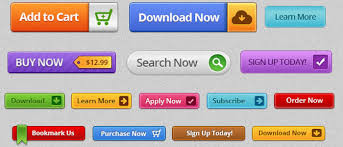
Too many calls to action cause choice stress.
When you plan your site, decide the main goal of each page first. Is the homepage meant to get people to start a trial? Should a video page get them to press play? Is the pricing page there to complete a purchase? Once the goal is clear, you know which call to action gets the most prominent spot, and which ones can go or move further down the page.
More ways to increase conversion
Let visitors taste your content
People rarely pay for something they haven’t seen. Offer trailers, a few free videos or a free account, so visitors experience your quality first. A free trial or an introductory discount lowers the barrier further. On AudiencePlayer you can add a trailer that anyone can watch and a preview for logged-in viewers next to the full video. Check the result while logged out and as a non-paying user, so you see exactly what a new visitor sees.
Keep your pricing simple
A clear pricing page with a small number of options converts better than a long list of plans. Show what is included in each option and highlight the one you recommend. If you sell both subscriptions and single products, explain the difference in one sentence.
Make signing up and paying effortless
Ask only for the information you really need, and offer the payment methods your audience already uses, such as iDEAL, credit card or PayPal. In mobile apps, in-app payments through the App Store and Google Play remove another step. Every extra field or unfamiliar payment screen costs you customers. Also make sure people land where they wanted to be after logging in: on AudiencePlayer, the dedicated Login menu component returns viewers to the page they came from, while a generic link to the login page sends them to the homepage. That matters when you share direct links to videos in emails or on social media.
Follow up with visitors who drop out
Not everyone completes a purchase the first time. An automatic reminder for an abandoned cart, a welcome email series or a discount code for newsletter subscribers can bring them back. Once people have converted, a good start matters too: read our tips on onboarding new subscribers so they don’t churn.
Measure, test and improve
Track every step of the funnel, from first visit to payment, for example with Google Analytics or Google Tag Manager. On AudiencePlayer you connect your own accounts for these tools, and the built-in cookie bar handles consent. Change one thing at a time, such as a headline, a button text or the order of your plans, and compare the results. For a broader view of the whole path from visitor to subscriber, see our guide on creating a user journey that increases subscriptions.
Increase conversion with AudiencePlayer
AudiencePlayer gives you the tools to put these tips into practice on your own platform. With the website builder you create pages with video headers, pricing tables and sign-up forms in your own branding. Free accounts, vouchers, free trials, abandoned cart reminders, automated emails and push notifications are built in, and you can send real-time data to Google Analytics and Google Tag Manager. Want to see how it works for your content? Request a demo.
Frequently Asked Questions
What is a good conversion rate for a video streaming website?
There is no single benchmark, because it depends heavily on your traffic source, your niche and whether you measure sign-ups, trials or paid subscriptions. The most useful comparison is with your own previous results: measure each step of your funnel and work on the step where most visitors drop off.
Should I offer a free trial on my video platform?
A free trial or a few free videos lowers the barrier for visitors who don’t know your content yet. Make sure the trial shows your best content and that viewers know exactly when and how much they will pay afterwards.
How many subscription plans should I offer?
Keep it to a small number, often two or three options such as monthly and yearly. Fewer choices make the decision easier, and highlighting one recommended plan helps visitors choose faster.
How many calls to action should a page have?
One main call to action per page, linked to that page’s single goal. You can repeat the same button further down a long page, but avoid competing buttons that send visitors in different directions.
Which payment methods help conversion?
The methods your audience already trusts and uses daily. In the Netherlands that means iDEAL, internationally credit card and PayPal are common, and in mobile apps viewers expect to pay through the App Store or Google Play.