

On this page
A WordPress video plugin lets you show and stream video on your WordPress website without turning your web hosting into a video server. WordPress is great for pages, blogs and shops, but it was never built to stream video. The best results come from a plugin that connects WordPress to a dedicated video platform, which takes care of hosting, streaming and, if you sell your videos, payments and access. In this article we explain your options and how the AudiencePlayer WordPress plugin fits in.
Why not upload videos straight to WordPress?
You can upload an MP4 to the WordPress media library and place it on a page. For a short clip that’s fine, but for a real video offering it quickly causes problems:
- No adaptive streaming: every viewer gets the same large file, so people on a slow connection or a phone see buffering.
- Heavy load on your hosting: video eats storage and bandwidth, and many hosting plans aren’t made for it.
- Easy to download: a plain video file can be saved with a right-click or a browser extension.
- No control over access: selling individual videos or subscriptions needs a paywall, payments and access rules on top.
- Only on the website: there is no easy way to offer the same videos in mobile apps or on smart TVs.
Three ways to add video to WordPress
Embedding from YouTube or Vimeo
The quickest route is to upload your video to YouTube or Vimeo and paste the link into WordPress. It’s free or cheap, but the player carries someone else’s branding, YouTube shows its own recommendations, and you have little control over who watches. Selling videos is limited too: Vimeo is even shutting down its VOD marketplace.
A video player plugin
Player plugins give you a nicer, customisable player inside WordPress. They improve the look, but the video still has to be hosted and streamed somewhere, so you are back to the media library or a separate hosting service.
A plugin that connects WordPress to a video platform
In this setup, the video platform handles encoding, storage, streaming, protection and payments, and WordPress stays your website. The plugin is the bridge between the two. This is the route for organisations that want to sell video, protect it or offer it on more screens than the website alone.
What to look for in a WordPress video plugin
- Adaptive streaming, so every viewer gets the best quality their device and connection can handle.
- Protection against downloading and sharing, such as encrypted streams and DRM, if your content is paid or exclusive.
- Payments and access: subscriptions, single purchases or free accounts, without stacking extra plugins.
- Your own branding, without third-party logos, ads or recommendations.
- Maintenance: every extra plugin needs updates, and one incompatible update can break your site. Fewer moving parts is better.
- Room to grow: can the same videos go to mobile apps or a TV later?
The AudiencePlayer WordPress plugin
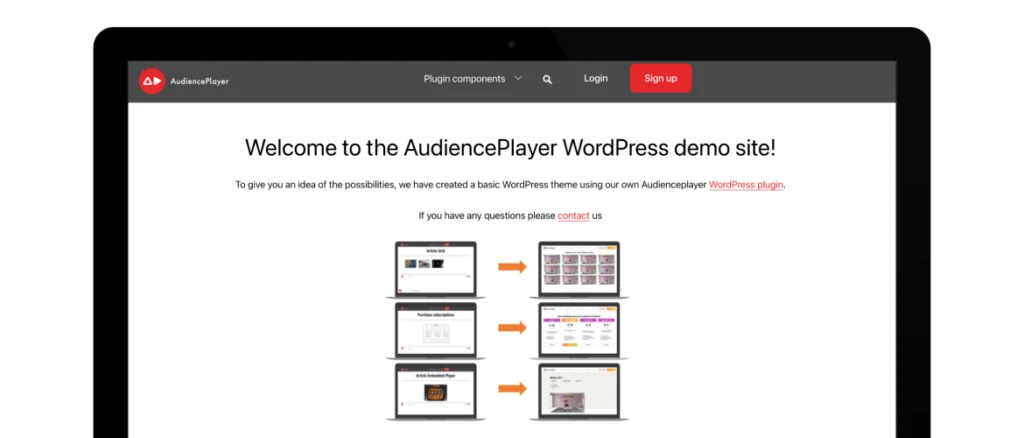
AudiencePlayer is a white-label video platform, and its WordPress plugin connects your existing WordPress site to your own AudiencePlayer platform. You keep your site, while your videos are hosted and streamed by AudiencePlayer. The plugin is part of the developer tools module, together with the API, webhooks and single sign-on.
On AudiencePlayer, the platform behind the plugin takes care of:
- Streaming: automatic encoding for every screen and adaptive streaming up to 4K, delivered through a content delivery network.
- Player features: subtitles, multiple audio tracks and continue watching.
- Security: DRM, screen capture protection and geo-restriction.
- Revenue: subscriptions, pay-per-view, rentals and vouchers. You connect your own Mollie or Stripe account, so viewers pay with iDEAL, credit card or PayPal and the revenue goes straight to your bank account.
The same content can also power your own mobile apps and smart TV apps, which you can add as modules. The WordPress plugin page explains how the plugin works and what it can do.
Plugin or a complete video website?
The plugin makes sense when your WordPress site is established and you want to keep it. If you don’t have a site yet, or if video is the heart of what you offer, a complete video website can be simpler: with the AudiencePlayer website builder you build a streaming site in your own branding without code. Planning to sell courses? Our guide on how to create an online course website with WordPress compares both routes.
Want to see how AudiencePlayer works with your WordPress site? Request a demo.
Frequently Asked Questions
Can I host videos in the WordPress media library?
You can, but it isn’t a good idea for more than a few short clips. The media library serves one large file without adaptive streaming, puts a heavy load on your hosting and makes videos easy to download.
What is the best WordPress video plugin for paid content?
One that connects WordPress to a video platform with built-in payments, access control and content protection. Combining a player plugin, a membership plugin and a separate checkout works too, but means more plugins to maintain.
Does AudiencePlayer have a WordPress plugin?
Yes. The AudiencePlayer WordPress plugin connects your WordPress site to your AudiencePlayer platform. It is part of the developer tools module, together with the API, webhooks and single sign-on.
Do I need WordPress to use AudiencePlayer?
No. AudiencePlayer includes a website builder, so you can run a complete video website on your own domain without WordPress. The plugin is for organisations that want to keep their existing WordPress site.
Can viewers watch videos from my WordPress site on their TV?
With AudiencePlayer behind your site, you can add Chromecast and AirPlay so viewers cast to their TV, or launch your own smart TV apps for Samsung and LG. Both are modules you can add to your platform.