


On this page
An online video training platform is your own website (and optionally apps) where learners pay to watch your courses, workshops or masterclasses whenever it suits them. To sell online courses this way, you need a clear course offer, a platform that handles video, access and payments, and a revenue model that fits how you teach. In this article we cover the benefits, then walk through the steps to set it up.
Why sell courses through your own video platform?
Learners are used to streaming services: they expect to start a lesson on their phone and continue on a laptop or TV, at any time. Offering your training the same way has clear advantages over live sessions or physical courses alone:
- Scalable: you record a lesson once and can sell it many times, without being in the room.
- Flexible for learners: they learn at their own pace and can rewatch difficult parts.
- Recurring revenue: with a subscription or membership, learners stay with you while you keep adding content.
- Your brand, your data: on your own platform you own the customer relationship, instead of a marketplace.
Be realistic, though: a video course is not passive income. Good courses need updates, support for learners and ongoing marketing. Read why most online courses fail (and how to build one that does not) before you start.
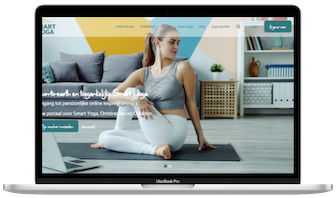
How to sell your own online courses
Step 1: define your course and audience
Your course is your product, so start there. Who is it for, what will they be able to do afterwards, and what makes your approach different from free material online? Learners won’t find you by themselves, so make a content plan and a marketing plan at the same time. Short lessons with a clear goal tend to work better than long recordings.
Step 2: record and prepare your videos
You don’t need a studio, but good sound and light matter more than an expensive camera. Export your videos in a standard format so they play well on every device. On AudiencePlayer, MP4 with H.264 video and AAC audio is preferred, in HD (1920×1080) or 4K, and processing after upload takes roughly as long as the video itself. The full requirements are in the file upload specifications. Add subtitles if your audience speaks more than one language.
Step 3: choose a platform
Building your own video platform from scratch takes a lot of time and money: hosting, streaming, payments, user accounts, security and apps. Most course creators choose an existing platform instead. Look for:
- A user-friendly interface for learners, because a strong course on a clumsy platform still loses customers.
- Your own branding and domain.
- Built-in payments, subscriptions and discount codes.
- Protection against downloading and sharing your paid videos.
- Statistics on what learners watch and where they stop.
If you also need quizzes, grades or certificates, compare a video platform with a learning management system. See online video teaching platforms compared.
Step 4: choose your revenue model
There are several ways to earn from video courses:
- Single purchase (TVOD): learners pay once for a course or bundle.
- Subscription (SVOD): a monthly or yearly membership with access to all courses.
- Rental: access to a course for a fixed period.
- Credits: learners buy credits and spend them on the lessons they choose.
- Live tickets: paid access to live classes or webinars, with the recording afterwards.
Advertising-based video rarely suits training, because learners expect an ad-free experience and you need a very large audience. The choice between one-off courses and a membership is the most important one; read online courses vs membership training for a full comparison.
Your training platform with AudiencePlayer
AudiencePlayer gives you your own video platform in your own branding, with a website builder, video on demand, subscriptions and single products, vouchers, marketing tools and statistics. You can sell courses as a single product or bundle, as part of a subscription, or with credits. Live streaming, mobile apps and smart TV apps are modules you can add. Payments run through your own Mollie or Stripe account.
A few things that help when you set up courses on AudiencePlayer:
- Two ways to structure a course. With a few lessons, use separate videos grouped by category on a page. For multi-part courses, use a series with seasons as modules and an episode for every lesson.
- Let people try first. Add a free trailer or a preview for logged-in visitors, so prospects can see your teaching style before they buy.
- Plan for a growing library. Lessons you add to a product later don’t reach people who already bought it. If you keep adding content, a subscription or a new product is usually the better fit.
- Selling to organisations. Vouchers can be limited to specific email addresses or domains, which works well for giving a company’s employees access.
See how other coaches and trainers use their own platform, or request a demo.
Frequently Asked Questions
What is the difference between a video training platform and an LMS?
A video training platform focuses on delivering and selling video, with a streaming-style experience on web, mobile and TV. A learning management system (LMS) focuses on tests, grades, certificates and compliance tracking. If video and sales are central, a video platform is usually the better fit.
Should I sell my course as a one-off purchase or a subscription?
Sell a one-off purchase when the course is complete and won’t change much. Choose a subscription when you regularly add new lessons or courses, so learners keep paying for ongoing value.
How do I structure a course with modules and lessons?
On AudiencePlayer you can use a series as the course, seasons as modules and an episode for every lesson. Each playable video needs its own episode; videos attached directly to a series or season act only as trailers or previews.
Do learners who already bought a course get lessons I add later?
Not automatically on AudiencePlayer: content added to a product later doesn’t reach earlier buyers. If you expect to keep expanding a course, consider a subscription, or offer the new material as a separate product.
Can I sell my courses to companies as well as individuals?
Yes. A common approach is to sell a batch of vouchers to the company and limit them to its employees’ email addresses. Individuals can buy the same course directly on your platform.