


On this page
Selling your training courses online with video means your knowledge is available whenever your learners want it, without you being in the room. You record a course once, sell it as often as there is demand, and keep a direct relationship with every participant. Here are five benefits of selling your training online, followed by practical tips to get started.
1. Sell around the clock and build recurring revenue
A classroom training is tied to a date, a location and a maximum number of seats. An online course is not. Visitors can buy and start your course at any time, from anywhere, so a sale no longer depends on your calendar.
You also get more choice in how you charge. Common models for training content are:
- A one-off course: learners pay once for a complete programme.
- A bundle: several courses or modules in one package.
- A subscription or membership: access to your full library for a monthly or yearly fee, which makes revenue more predictable than one-off sales.
Not sure which model suits your training? Read online courses vs membership training for a comparison.
2. Work more efficiently: record once, deliver many times
Giving the same training to group after group takes a lot of time. With an online course, you record the core content once and spend your time where it adds most value: answering questions, coaching and creating new material. Updating a course also gets easier, because you replace a single video instead of rewriting a whole programme.
There are several ways to record a training, depending on your budget and subject:
- Video on location or in a studio, for example with a green screen.
- A screencast with voice-over, ideal for software and step-by-step explanations.
- An animation video for abstract topics.
- Recordings of webinars, workshops or livestreams that you edit into modules. See how to turn workshops and webinars into evergreen training.
Whichever method you choose, export your videos in a format your platform handles well. On AudiencePlayer that means an MP4 file with 8-bit H.264 video and stereo AAC audio. 10-bit or HDR exports are not supported, and every video is converted to 25 frames per second.
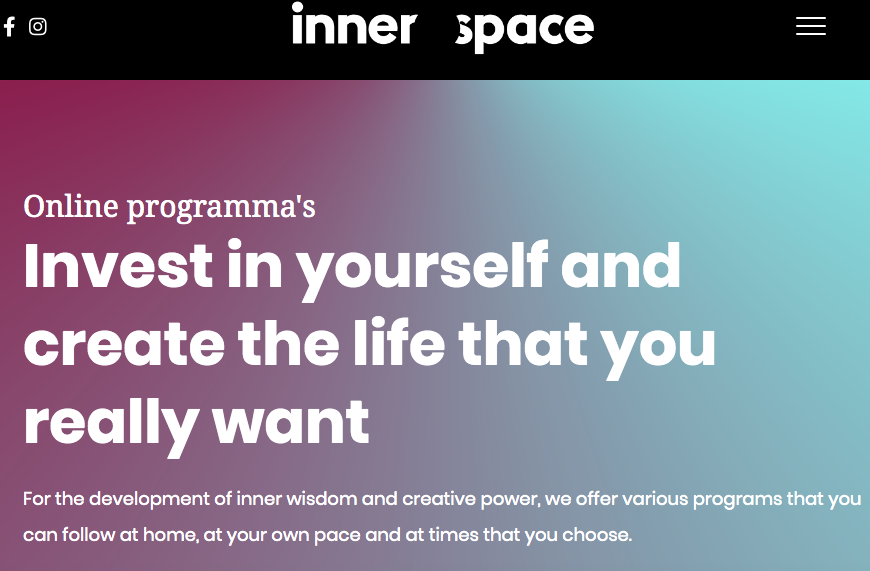
Example of online mindfulness courses
3. Share knowledge more effectively
Video is one of the clearest ways to explain something. Learners see exactly how a movement, technique or tool works, and most people are used to learning from video through services such as YouTube. Online, they also learn at their own pace: they can pause, rewatch a difficult part and pick up where they left off on another device. Subtitles and multiple audio languages make the same course accessible to a wider audience.
4. Build longer customer relationships
Online and classroom training work well together. Give participants of a live training access to an online follow-up course, or use a short online module as preparation before the first session. This blended approach keeps people engaged with your organisation after the training day is over.
Because learners create an account on your platform, you also know who they are and what they watch. That lets you invite them to a follow-up course, a new live session or a membership at the right moment, with an email or push notification instead of starting from scratch each time.
5. More control over your price, brand and content
Course marketplaces offer reach, but they often influence your pricing, take a share of every sale and keep the customer relationship to themselves. On your own platform you set the price, present the course in your own branding and own your list of learners. You also decide how your content is protected. Paid training is easy to share if it is not secured, so it is worth reading how to protect paid training content from sharing.
How to get started
- Start with your audience: who is the course for, and which problem does it solve? Begin collecting email addresses before you launch.
- Choose your model: a single course, a bundle, a subscription or a combination.
- Keep videos short: split your training into focused modules that each cover one topic.
- Test with a small group: collect feedback from your first participants and improve the course before you promote it widely.
- Plan the structure on your platform: on AudiencePlayer, a short course with a handful of videos works well as separate videos grouped in a category on a page. A multi-part course fits a series with seasons, with each video as its own episode. Add a trailer, which anyone can watch without logging in, so visitors see what they get before they buy.
Sell your training with AudiencePlayer
With AudiencePlayer you sell your training on your own video platform, in your own branding and on your own domain. You offer courses as a single product or bundle, combine them with subscriptions, vouchers and live sessions, and learners pay with iDEAL, credit card or PayPal straight into your own account. Your courses play on the website, in your own iOS and Android apps and on smart TVs, protected with DRM and screen capture protection. See how it works for coaches and trainers, or request a demo.
Frequently Asked Questions
Is it worth selling training courses online?
For most trainers and training organisations, yes. An online course lets you reach learners outside your schedule and region, and saves you from repeating the same session. It works best as an addition to, not a replacement for, live training and coaching.
Should I sell my training as a one-off course or a subscription?
A one-off course suits a clear programme with a beginning and an end. A subscription suits a growing library or ongoing learning, and gives more predictable revenue. Many trainers combine both.
How should I structure a video course on my platform?
Split it into short modules that each cover one topic. On AudiencePlayer, a small course works as individual videos grouped in a category, while a longer programme fits a series, season and episode structure, with every video as its own episode.
How do I stop people from sharing my paid training videos?
Put your videos behind a login and use a platform with DRM encryption and screen capture protection. Geo-restriction can also limit where your content can be watched.
Do I need my own platform or can I use a course marketplace?
A marketplace can help you get discovered, but it usually controls pricing and keeps the customer relationship. Your own platform gives you your own branding, your own prices and direct access to your learners.