

On this page
How do you create your own video streaming platform? Every streaming service, large or small, is built from the same six building blocks: video storage, encoding, delivery through a CDN, a video player with content protection, a website and apps, and accounts with payments. You can assemble these yourself from cloud services and open source tools, or use a ready-made platform that has them all in one. Below we go through the six steps and what to look out for in each.
Your own platform is an interesting alternative to YouTube and social media: you decide your revenue model and prices, you own the relationship with your viewers, and no algorithm decides who sees your content.
Step 1: Store your videos in the cloud
Your videos need to live on servers from which they can be streamed. A server of your own quickly runs out of capacity when viewing grows, so most platforms use cloud storage that scales automatically. Well-known options are Amazon Web Services, Microsoft Azure and Google Cloud.
Also think about where your content and viewer data are stored. More and more European organisations choose European cloud infrastructure for privacy and compliance reasons. Read more in our article on building a future-proof video platform with European cloud technology.
Step 2: Encode your videos for every screen
A single video file is not enough. Encoding converts your video into multiple versions at different resolutions and bitrates, from mobile quality up to 4K. With adaptive streaming, using formats such as HLS and MPEG-DASH, the player automatically switches to the best version for the viewer’s device and connection, so playback stays smooth.
H.264 is still the most widely supported codec. Newer codecs such as HEVC and AV1 deliver the same quality at a lower bitrate, but not every device supports them. Cloud providers offer encoding services you can build on, though that does require development work.
Step 3: Stream worldwide with a CDN
A content delivery network (CDN) is a network of servers spread across many locations. It caches your video segments close to your viewers, so videos start faster, buffer less and your origin server isn’t overloaded when many people watch at once. Examples of CDN providers are Akamai, Cloudflare and Amazon CloudFront.
Step 4: Choose a player and protect your content
Your viewers need a video player that works on every device. You can embed YouTube’s player, but then your videos are bound to YouTube’s terms, viewers can easily click away to YouTube and you can’t sell access yourself. Open source players such as Video.js and Shaka Player give you more control, as do commercial players.
Whatever you choose, check that the player supports:
- Adaptive streaming (HLS and DASH)
- Subtitles and multiple audio tracks
- DRM, such as Widevine, FairPlay and PlayReady, if you sell premium content
- Chromecast and AirPlay, so viewers can watch on their TV
Step 5: Build your website and apps
Now you need the storefront: a website where viewers discover, search and watch your videos. Many viewers also expect apps for iOS and Android, and a growing share of viewing happens on the TV in the living room, so smart TV apps are worth planning for from the start. Building and maintaining native apps for every platform is one of the most expensive parts of doing it yourself.
If you already run a WordPress website, you can connect it to AudiencePlayer with the WordPress plugin, so storage, encoding and streaming are handled for you.
Step 6: Add accounts, payments and access rules
To earn from your videos, viewers need to create an account and pay. Payment providers such as Mollie, Stripe and Adyen handle the transactions, but you also need logic that decides who may watch what: a subscription, a single purchase, a rental, a ticket for a livestream or a voucher. In mobile apps, purchases usually run through the in-app payment systems of the App Store and Google Play, which you will also need to integrate.
Build it yourself or use a ready-made platform?
Building everything yourself gives maximum freedom, but it means connecting and maintaining many separate services, plus a development team for your website, apps and payments. For most organisations the content and the audience are the core business, not the streaming technology. For a deeper look at the technical side, see our article on OTT platform architecture.
Create your streaming platform with AudiencePlayer
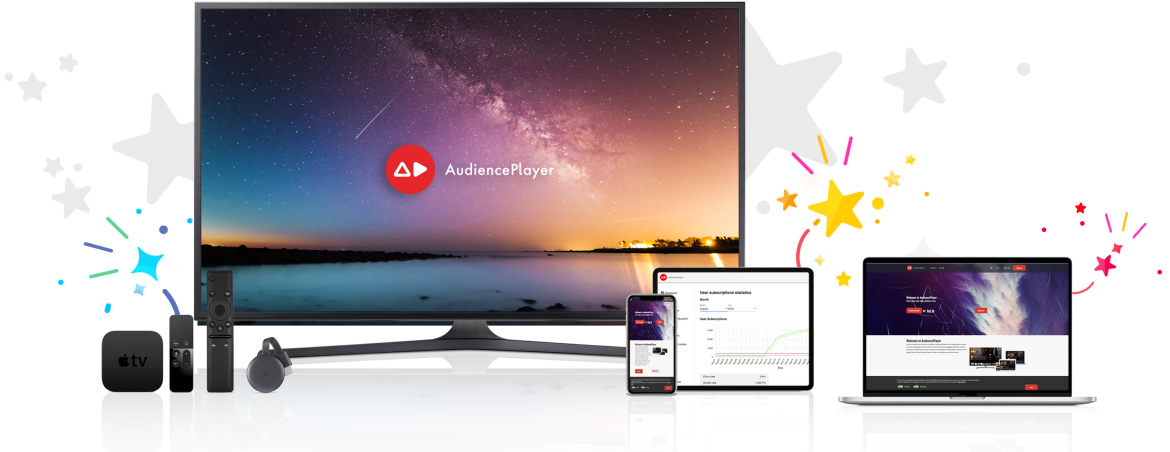
AudiencePlayer brings all six building blocks together in one white-label platform: storage, encoding and worldwide streaming, a player with subtitles, multiple audio tracks, DRM and adaptive streaming up to 4K, a website builder, apps for iOS, Android and smart TV, Chromecast and AirPlay, and subscriptions and payments through your own Mollie or Stripe account. You choose between sovereign European infrastructure and globally scalable cloud.
Even with a ready-made platform, a few things stay on your side. In practice these are the usual launch blockers on AudiencePlayer, so start on them early:
- Connect your own payment provider. A production Mollie or Stripe account is needed even if everything is free or voucher-based; the test provider is only for testing before launch.
- Connect your own mail account. Welcome and password-reset emails are sent through your own mailbox or SMTP provider. Without it, viewers receive nothing.
- Create your app store accounts. For your own apps you create and verify Apple Developer and Google Play developer accounts and invite AudiencePlayer as Admin. Verification can take a while.
- Upload and test your content. Upload in the browser or in bulk via FTP, deliver 8-bit H.264 with stereo AAC audio, and allow processing time of roughly the length of each video. Then test as a real viewer on several browsers and devices.
Want to see what your platform could look like? Request a demo.
Frequently Asked Questions
How much does it cost to create a video streaming platform?
It depends mainly on how much you publish and how much is watched, because storage, encoding and streaming data grow with usage. Building it yourself adds development and maintenance costs for your website and apps, while a ready-made platform bundles these into one package.
Can I create a streaming platform without coding?
Yes. A white-label video platform handles storage, encoding, streaming, apps and payments for you, so you only add your content, branding and prices. Building it from separate cloud services does require developers.
What is the difference between storage, encoding and a CDN?
Storage is where your original video files live. Encoding turns them into multiple versions for different screens and connections, and a CDN delivers those versions quickly to viewers wherever they are.
Do I need DRM for my streaming platform?
If you sell premium content or license films and series, yes. DRM encrypts your streams so they can’t simply be downloaded or shared, and rights holders often require it.
What do I need to arrange myself before launch?
On AudiencePlayer: connect your own payment provider and mail account, deliver your branding, create Apple and Google developer accounts if you want apps, and upload your content. Then test the platform as a viewer before you go live.