


On this page
Selling video courses online comes down to four things: a course people actually need, lessons that are pleasant to watch, a platform where you control access and payments, and a steady way to reach buyers. Whether you teach yoga, photography, software or management skills, the steps are the same. In this guide we walk through them one by one, with practical tips for each.
Step 1: Choose a topic you can teach well
The quality of your course is the biggest predictor of success. Start with three questions: what do you know a lot about, what can you explain clearly, and what do people struggle with? The sweet spot is where all three overlap.
You don’t have to start from scratch. An existing workshop, class or training programme often translates well into video. Yoga and fitness classes, meditation, cooking, music lessons and professional training are all good examples. Before you record anything, check that there is demand: ask your current students or clients, look at the questions you get most often, and see which topics people already search for.
Step 2: Define your audience and course format
Decide who the course is for before you start recording. A course for complete beginners needs a different pace, vocabulary and length than one for professionals. Once you know your audience, choose a format:
- A single course: a fixed set of lessons with a clear outcome, sold once.
- A bundle: several courses or modules sold together, often at a lower combined price.
- A membership: ongoing access to a growing library for a monthly or yearly fee.
Each has its own strengths. A one-off course is easy to explain and sell, while a membership gives you recurring revenue but asks you to keep adding content. Read more in online courses vs membership training.
Step 3: Record and edit your lessons
Viewers are forgiving about simple visuals but not about poor sound, so invest in a decent microphone first. Keep lessons short and focused: several videos of five to fifteen minutes are easier to follow, and easier to come back to, than one long recording. Give every lesson a clear goal and a logical place in the course.
You don’t need a studio. Free or low-cost editing tools such as iMovie or DaVinci Resolve are enough to cut out mistakes, add titles and improve sound. Our guide on how to record educational videos covers lighting, framing and audio in more detail.
When you export, follow your platform’s file specifications. On AudiencePlayer, an MP4 file with H.264 video in 1920×1080, 8-bit colour and a fixed frame rate of 25 fps gives the most reliable result. The full list is in the file upload specifications.
Step 4: Choose where to host and sell your course
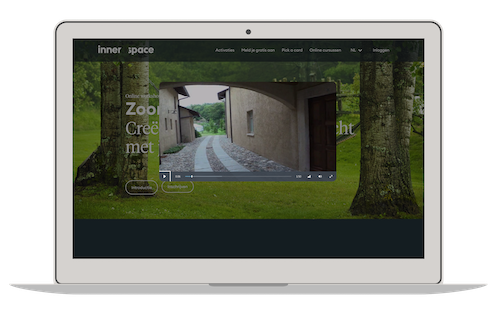
You have good lessons. Now, where do they live? Roughly, you have three options:
- Free video sites such as YouTube: great for reach, but not built for selling paid courses, and you don’t own the relationship with your viewers.
- Course marketplaces: they bring an audience, but usually set the rules for pricing and keep the customer data. See how to monetise educational content without marketplaces.
- Your own video platform: your brand, your prices and your customer list, with payments going straight to your own account.
On your own platform you can choose how people pay: a one-off purchase per course, a rental for a limited period, credits, or a subscription to your whole library. You can also combine these, for example a membership plus separately sold masterclasses.
It also helps to think about how you structure the course. On AudiencePlayer, a short course can be a set of single videos grouped in a category, while a longer programme works well as a series with seasons as modules and an episode per lesson. A free trailer or preview lesson lets people see your teaching style before they buy.
Step 5: Protect your content
Paid lessons are worth copying, so treat protection as part of the plan. Make sure only logged-in buyers can watch, and for valuable content use DRM encryption, which stops easy downloading and, on many devices, screen recording. Our article on protecting paid training content from sharing explains the options.
Step 6: Market and sell your course
Once your course is online, the real work starts. Course sales rarely happen by themselves, so plan your marketing from day one:
- Start with people who know you: existing students, clients and your email list usually convert best.
- Share free samples: short clips on social media and a free first lesson show what buyers can expect.
- Use launch offers: discount codes or a limited early-bird price give people a reason to decide now.
- Follow up: automated emails help, for example a reminder for visitors who started checkout but didn’t finish.
- Keep improving: look at which lessons people watch and where they drop off, and update your course based on that.
Selling video courses with AudiencePlayer
AudiencePlayer gives you your own video platform in your own branding, with courses, bundles, subscriptions, rentals and vouchers built in. You connect your own Mollie or Stripe account, so your viewers can pay with iDEAL, credit card or PayPal and the revenue goes directly to you. Marketing tools such as discount codes, abandoned-cart reminders and automated emails are included, and you can add modules such as mobile apps, smart TV apps or DRM protection when you need them. See how it works for coaches and trainers, or request a demo to see your own course platform take shape.
Frequently Asked Questions
Where can I sell my video courses online?
You can sell through a course marketplace, a general video platform or your own branded video platform. Marketplaces bring visitors but control pricing and customer data, while your own platform lets you set prices, keep your customer list and receive payments directly.
Should I sell my course as a one-off purchase or a subscription?
A one-off purchase suits a course with a clear beginning, end and outcome. A subscription suits a library that keeps growing, such as weekly classes or a series of masterclasses. Many course creators combine both.
Can I add new lessons after people have bought my course?
Yes, but plan how buyers get them. On AudiencePlayer, lessons you add later to a product that was sold as a one-off purchase do not automatically reach earlier buyers, so either release them as a new course or bundle, or use a subscription when your content keeps growing.
How do I stop people from sharing my paid course videos?
Put your lessons behind a login so only buyers can watch, and use DRM encryption for valuable content. DRM prevents easy downloading and, on many devices, screen recording, although no technology can stop someone filming a screen.
What video format should I use for my course?
MP4 with H.264 video in full HD is the safest choice for most platforms. On AudiencePlayer, export in 1920×1080 with 8-bit colour, stereo audio and a fixed frame rate of 25 fps for the most reliable processing.