


On this page
A white label video player is a video player that you can show under your own brand, without the logo, ads or recommendations of the company that built it. Your viewers only see your name. The term is also used more broadly for a white label video platform: not just the player, but the complete streaming service around it, from website and apps to payments. In this article we explain the difference, what to look for, and when white label is the right choice.
What does white label mean?
White label means that one company makes a product and another company offers it under its own brand. Supermarket own brands are a familiar example: the product comes from a manufacturer, but the packaging shows the supermarket’s name. In software it works the same way. The provider builds and maintains the technology, and you present it to your customers as your own service.
The main benefit is that most of the work has already been done. You don’t need to develop or maintain the technology yourself, so you can spend your time on your content and your audience.
White label video player versus white label video platform
These two terms are often mixed up, but they solve different problems.
White label video player
A player you embed on your existing website. Compared with a free YouTube embed, there is no third-party logo, no ads and no “watch next” suggestions that lead viewers away from your site. This is enough if you already have a website and only want to show videos in a clean, professional way.
White label video platform
A complete streaming service in your branding: a website with a video library, apps for phone and TV, user accounts, subscriptions and payments. This is what you need if you want to sell videos or build your own alternative to Vimeo OTT or YouTube, with your own audience and your own data.
What to look for in a white label solution
Branding is only the start. Check these points before you choose:
- Branding everywhere: your own domain, logo, colours and font, and also in the emails your viewers receive and in the app stores.
- Player quality: adaptive streaming that adjusts to every connection, subtitles, multiple audio tracks and continue watching.
- Security: DRM, protection against screen recording and geo-restriction if your rights are limited to certain countries.
- Revenue models: subscriptions, single purchases or rentals, and payments that go straight to your own account.
- Every screen: website, mobile apps and smart TV apps, managed from one place.
- Ownership of data: you should be able to see and export who your viewers are and what they watch.
AudiencePlayer: a complete white label video platform
AudiencePlayer is a white label video platform. You get your own streaming website in your branding, built with the website builder: your logo, colours, font and your own domain, without ads or content from others. Your audience only sees your brand.
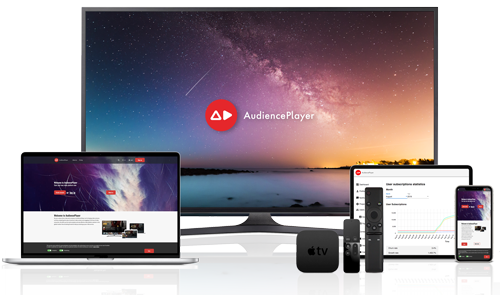
What you can set up on AudiencePlayer:
- The player: one player for video and audio, with adaptive streaming up to 4K, subtitles, multiple audio tracks, continue watching and a skip-intro button.
- Revenue models: subscriptions, pay-per-view, rentals, credits and vouchers, paid through your own Mollie or Stripe account.
- Marketing: push notifications, automated emails sent from your own domain, abandoned-cart reminders and CRM integration with Mailchimp and ActiveCampaign.
- Modules you add: mobile apps under your own name in the App Store and Google Play, smart TV apps for Samsung and LG (Android TV in beta), Chromecast and AirPlay, DRM, and live streaming.
- Connections: an API, webhooks, single sign-on and a WordPress plugin if you want to keep your existing website.
On AudiencePlayer, branding is set per screen. You manage your logo, favicon and theme colours in the management environment, smart TV apps have their own branding section including the splash screen, and the mobile apps use a dark theme with your logo and colours. The menu content and order are yours to manage; deeper visual changes are possible with custom CSS.
Organisations of every size use AudiencePlayer, from film organisations to yoga studios and coaches selling online courses. Want to see your own brand on it? Request a demo.
Frequently Asked Questions
What is the difference between a white label video player and YouTube?
A YouTube embed shows YouTube’s logo, can show ads and suggests other videos that lead viewers away. A white label player shows only your brand and keeps viewers on your own website or app.
Can I remove all AudiencePlayer branding from my platform?
Your platform runs on your own domain with your logo, colours and font, and your apps appear under your own name in the stores. Your viewers see your brand, not AudiencePlayer logos.
Do I need technical knowledge for a white label video platform?
No. On AudiencePlayer you build your website with ready-made blocks and manage content in the management environment. If you prefer, the team can set up your platform for you.
Can I use a white label player on my existing website?
Yes. AudiencePlayer offers video embedding and a WordPress plugin, so you can also show your videos on the website you already have.
Can my viewers pay me directly?
Yes. On AudiencePlayer you connect your own Mollie or Stripe account, so revenue from the website goes straight to your own bank account. In your apps, viewers pay through the App Store and Google Play.